


 |
SAD622S - SYSTEMS ADMINISTRATION - 1ST OPP - NOV 2025 |
|
|
1 Page 1 |
▲back to top |
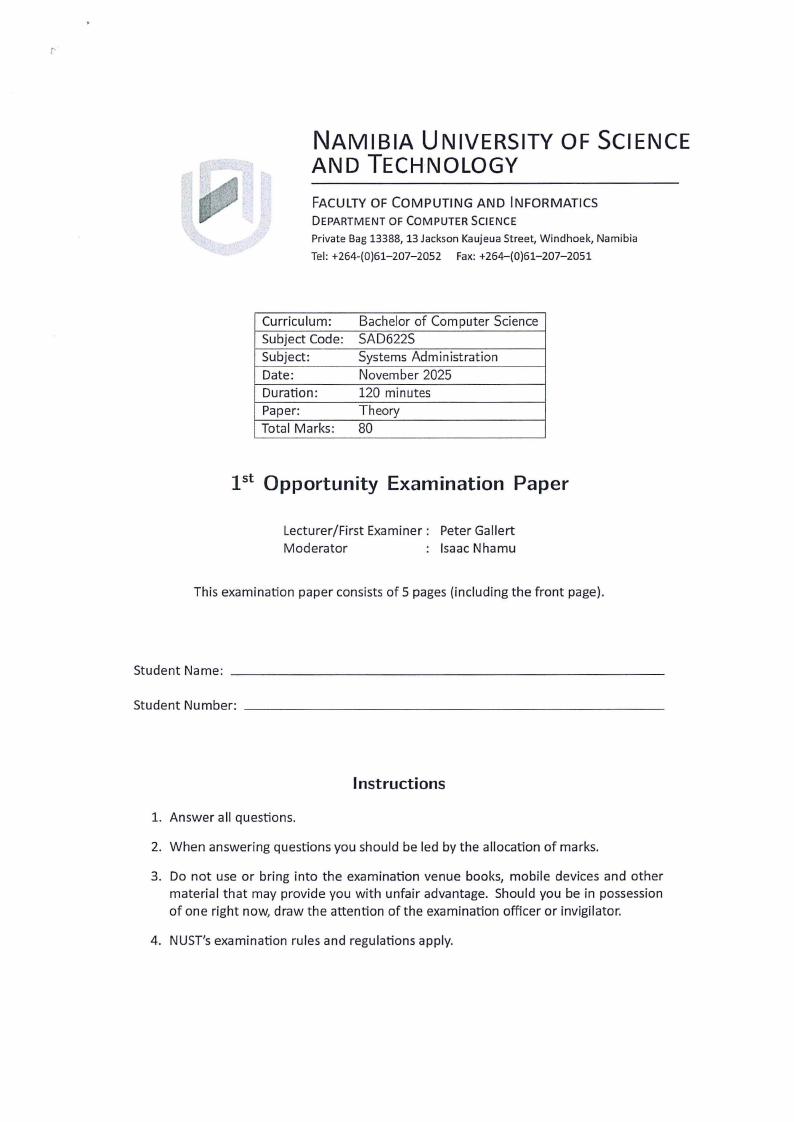
NAMIBIA UNIVERSITY OF SCIENCE
AND TECHNOLOGY
FACULTY OF COMPUTING AND INFORMATICS
DEPARTMENT OF COMPUTER SCIENCE
Private Bag 13388, 13 Jackson Kaujeua Street, Windhoek, Namibia
Tel : +264-(0)61-207-2052 Fax: +264-(0)61-207-2051
Curriculum:
Subject Code:
Subject:
Date:
Duration:
Paper:
Total Marks:
Bachelor of Computer Science
SAD622S
Systems Administration
November 2025
120 minutes
Theory
80
1st Opportunity Examination Paper
Lecturer/First Examiner: Peter Gallert
Moderator
Isaac Nhamu
This examination paper consists of 5 pages (including the front page).
Student Name: __________________________
Student Number: _________________________
Instructions
1. Answer all questions.
2. When answering questions you should be led by the allocation of marks.
3. Do not use or bring into the examination venue books, mobile devices and other
material that may provide you with unfair advantage. Should you be in possession
of one right now, draw the attention of the examination officer or invigilator.
4. NUST's examination rules and regulations apply.
|
|
2 Page 2 |
▲back to top |
Faculty of Computing and Informatics, Department of Computer Science
SAD622S: pt Opportunity Examination Paper
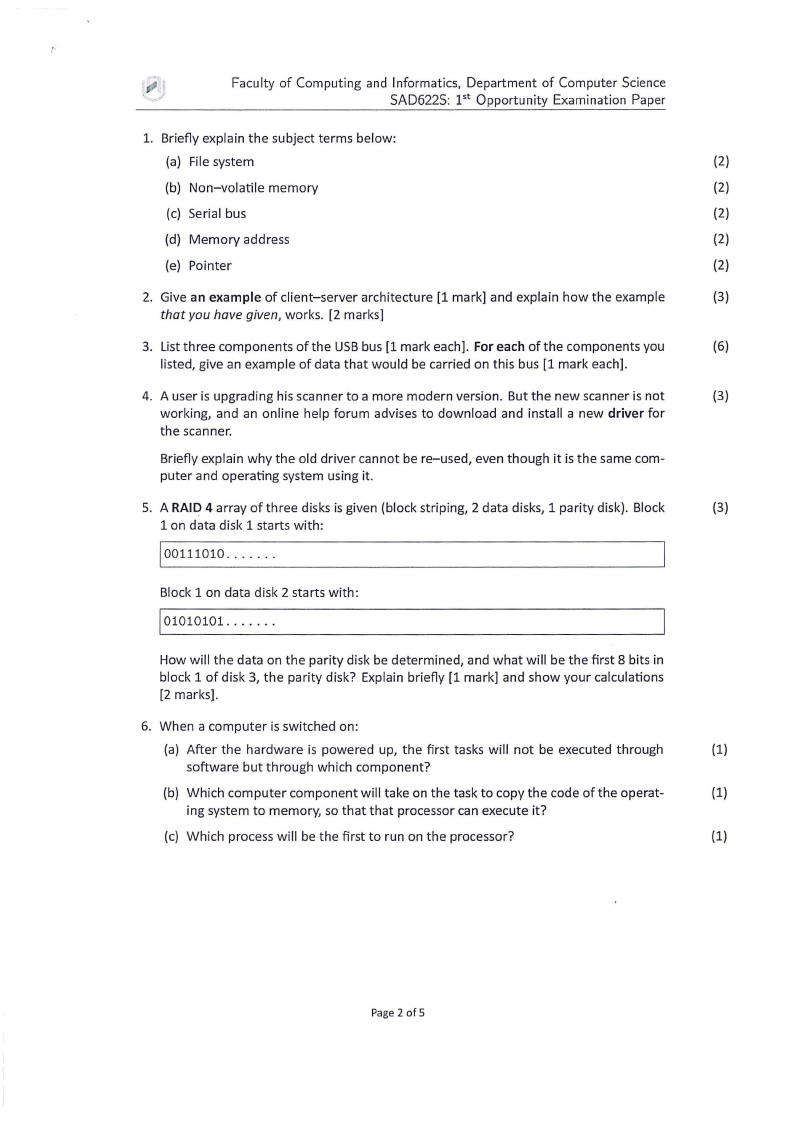
1. Briefly explain the subject terms below:
(a) File system
(2)
(b) Non-volatile memory
(2)
(c) Serial bus
(2)
(d) Memory address
(2)
(e) Pointer
(2)
2. Give an example of client-server architecture [1 mark] and explain how the example
(3)
that you have given, works. [2 marks]
3. List three components of the USB bus [1 mark each]. For each of the components you
(6)
listed, give an example of data that would be carried on this bus [1 mark each] .
4. A user is upgrading his scanner to a more modern version. But the new scanner is not
(3)
working, and an online help forum advises to download and install a new driver for
the scanner.
Briefly explain why the old driver cannot be re-used, even though it is the same com -
puter and operating system using it.
5. A RAID 4 array of three disks is given (block striping, 2 data disks, 1 parity disk). Block
(3)
1 on data disk 1 starts with:
joo111010 .. .... .
Block 1 on data disk 2 starts with:
101010101. .... . .
How will the data on the parity disk be determined, and what will be the first 8 bits in
block 1 of disk 3, the parity disk? Explain briefly [1 mark] and show your calculations
[2 marks] .
6. When a computer is switched on :
(a) After the hardware is powered up, the first tasks will not be executed through
(1)
software but through which component?
(b) Which computer component will take on the task to copy the code of the operat-
(1)
ing system to memory, so that that processor can execute it?
(c) Which process will be the first to run on the processor?
(1)
Page 2 of 5
|
|
3 Page 3 |
▲back to top |
Faculty of Computing and Informatics, Department of Computer Science
SAD622S: pt Opportunity Examination Paper
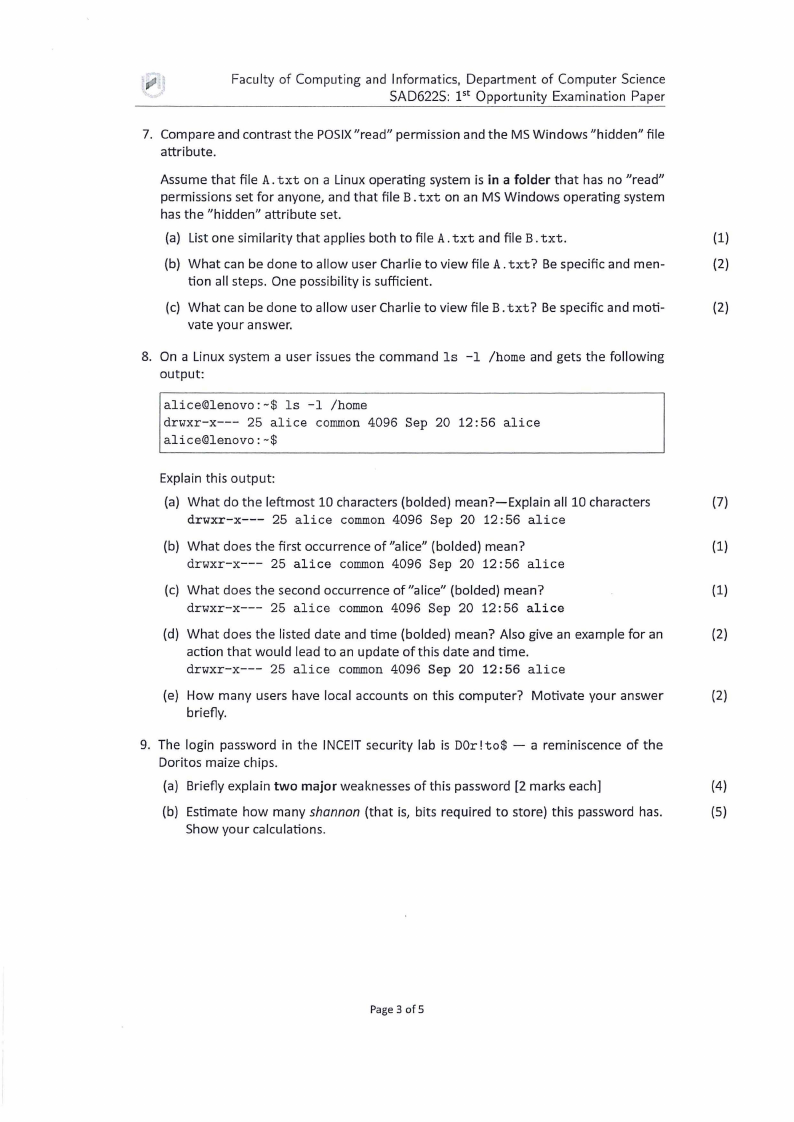
7. Compare and contrast the POSIX 11 read 11 permission and the MS Windows 11hidden11 file
attribute.
Assume that file A. txt on a Linux operating system is in a folder that has no "read"
permissions set for anyone, and that file B. txt on an MS Windows operating system
has the "hidden" attribute set.
(a) List one similarity that applies both to file A. txt and file B. txt.
(1)
(b) What can be done to allow user Charlie to view file A. txt? Be specific and men-
(2)
tion all steps. One possibility is sufficient.
(c) What can be done to allow user Charlie to view file B. txt? Be specific and moti-
(2)
vate your answer.
8. On a Linux system a user issues the command ls -1 /home and gets the following
output:
alice@lenovo : -$ ls -1 /home
drwxr-x--- 25 alice common 4096 Sep 20 12:56 alice
alice@lenovo:-$
Explain this output:
(a) What do the leftmost 10 characters (balded) mean?-Explain all 10 characters
(7)
drwxr-x--- 25 alice common 4096 Sep 20 12:56 alice
(b) What does the first occurrence of"alice11 (balded) mean?
(1)
drwxr-x--- 25 alice common 4096 Sep 20 12:56 alice
(c) What does the second occurrence of "a lice" (balded) mean?
(1)
drwxr-x--- 25 alice common 4096 Sep 20 12:56 alice
(d) What does the listed date and time (balded) mean? Also give an example for an
(2)
action that would lead to an update of this date and time.
drwxr-x--- 25 alice common 4096 Sep 20 12:56 alice
(e) How many users have local accounts on this computer? Motivate your answer
(2)
briefly.
9. The login password in the INCEIT security lab is D0r ! to$ - a reminiscence of the
Doritos maize chips.
(a) Briefly explain two major weaknesses of this password (2 marks each]
(4)
(b) Estimate how many shannon (that is, bits required to store) this password has.
(5)
Show your calculations.
Page 3 of 5
|
|
4 Page 4 |
▲back to top |
Faculty of Computing and Informatics, Department of Computer Science
SAD622S: pt Opportunity Examination Paper
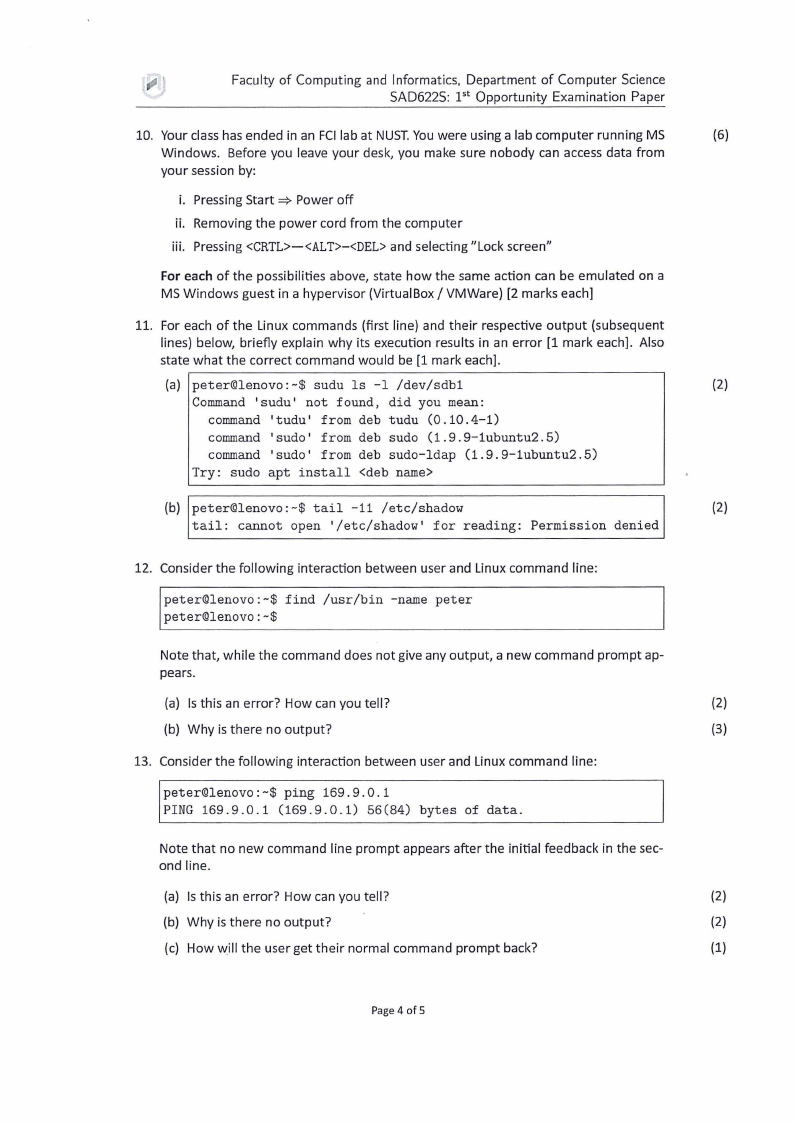
10. Your class has ended in an FCI lab at NUST. You were using a lab computer running MS
(6)
Windows. Before you leave your desk, you make sure nobody can access data from
your session by:
i. Pressing Start ⇒ Power off
ii. Removing the power cord from the computer
iii. Pressing <CRTL>-<ALT>-<DEL> and selecting "Lock screen"
For each of the possibilities above, state how the same action can be emulated on a
MS Windows guest in a hypervisor (Virtual Box/ VMWare) [2 marks each]
11. For each of the Linux commands (first line) and their respective output (subsequent
lines) below, briefly explain why its execution results in an error [1 mark each] . Also
state what the correct command would be [1 mark each].
(a) peter©lenovo:-$ sudu ls -1 /dev/sdb1
(2)
Command 'sudu' not found, did you mean:
command 'tudu' from deb tudu (0.10.4-1)
command 'sudo' from deb sudo (1 . 9.9-1ubuntu2 . 5)
command 'sudo' from deb sudo-ldap (1.9.9-1ubuntu2.5)
Try : sudo apt install <deb name>
(b) peter©lenovo:-$ tail -11 /etc/shadow
(2)
tail: cannot open '/etc/shadow' for reading: Permission denied
12. Consider the following interaction between user and Linux command line:
peter©lenovo:-$ find /usr/bin - name peter
peter©lenovo:-$
Note that, while the command does not give any output, a new command prompt ap-
pears .
(a) Is this an error? How can you tell?
(2)
(b) Why is there no output?
(3)
13. Consider the following interaction between user and Linux command line:
peter©lenovo:-$ ping 169.9.0 . 1
PING 169.9.0.1 (169.9.0.1) 56(84) bytes of data.
Note that no new command line prompt appears after the initial feedback in the sec-
ond line.
(a) Is this an error? How can you tell?
(2)
(b) Why is there no output?
(2)
(c) How V1,1ill the user get their normal command prompt back?
(1)
Page 4 of 5
|
|
5 Page 5 |
▲back to top |
Faculty of Computing and Informatics, Department of Computer Science
SAD622S : pt Opportunity Exam ination Paper
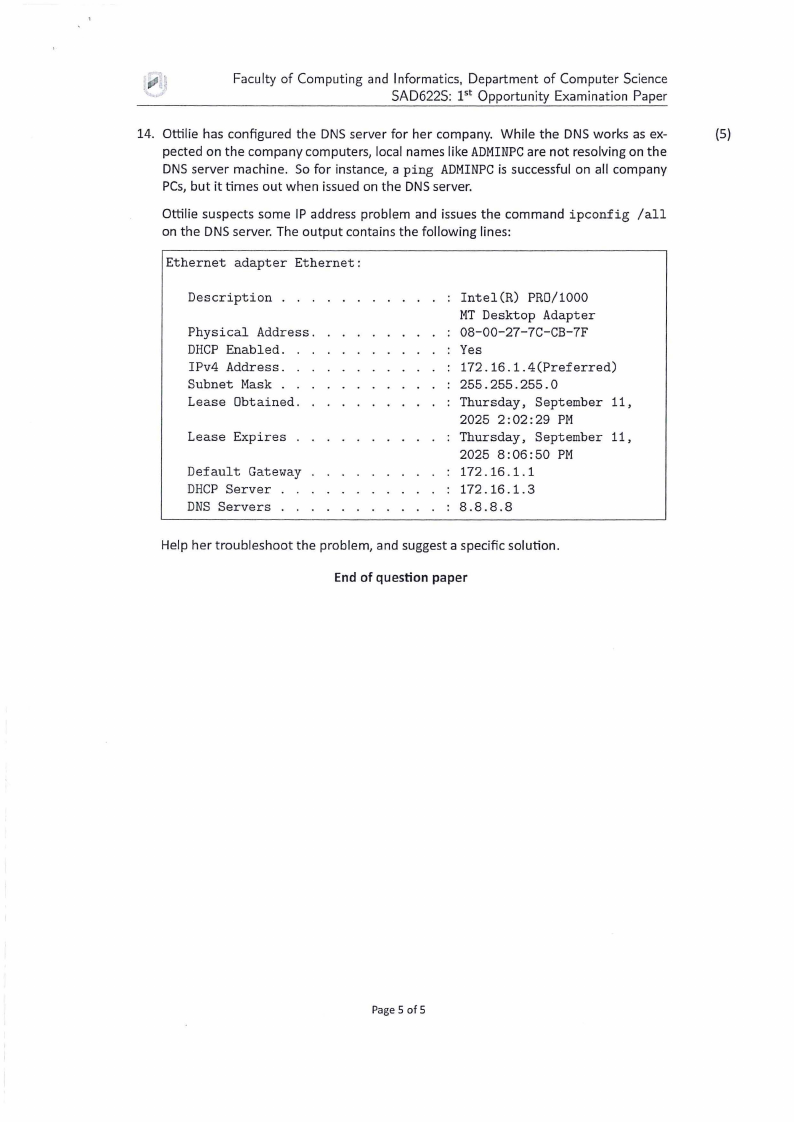
14. Ottilie has configured the DNS server for her company. Wh ile the DNS works as ex-
(5)
pected on the company computers, local names like ADMINPC are not resolving on the
DNS server machine. So for instance, a ping ADMINPC is successful on all company
PCs, but it times out when issued on the DNS server.
Ottilie suspects some IP address problem and issues the command ipconfig /all
on the DNS server. The output contains the following lines:
Ethernet adapter Ethernet:
Description .
Physical Address.
DHCP Enabled.
IPv4 Address . .
Subnet Mask . .
Lease Obtained .
Lease Expires .
Default Gateway
DHCP Server
DNS Servers . .
Intel(R) PR0/1000
MT Desktop Adapter
08-00-27-7C-CB-7F
Yes
172 . 16 . 1.4(Preferred)
255.255.255.0
Thursday, September 11 ,
2025 2:02:29 PM
Thursday, September 11,
2025 8 :06:50 PM
172 . 16 . 1. 1
172 .16 .1. 3
8.8.8.8
Help her troubleshoot the problem, and suggest a specific solution .
End of question paper
Page 5 of 5